Examples - Web Service Widgets
Below are examples of Dashboard widgets created for each Web Service type: Query, Chart, Report and Maintenance.
Query Service
The Query Service displays a list containing data from one or more linked files.
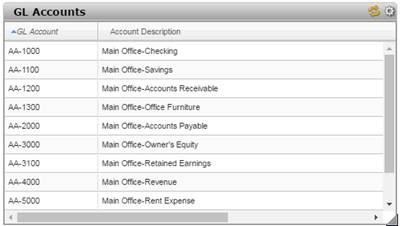
(Column sorting and table capability for Query Web Service were added in PxPlus 2016.)
Chart Service
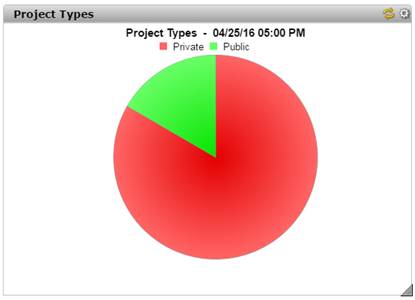
The Chart Service displays a defined chart.
Report Service
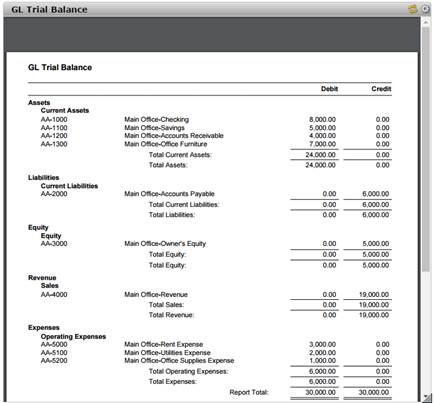
The Report Service displays the contents of a defined Report Writer report.
Maintenance Service
The Maintenance Service generates an HTML form for user input with fields from a specified data table.
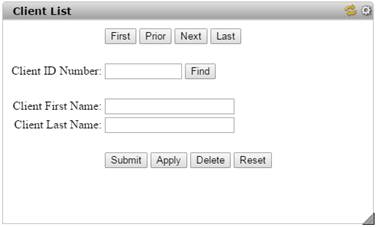
The generated form also includes the following:
First, Prior, Next, Last buttons | Used for browsing through inputted records, if they exist. |
Find button | Uses the value entered in the Key field to locate a particular record. |
Submit button | Updates the record and then clears the input fields. |
Apply button | Creates the record but does not clear the input fields. |
Delete button | Removes the record. |
Reset button | Cancels any changes to the current record and then clears the input fields. |
The fields are initially loaded with any default values defined in the data dictionary. If information is missing for a required field, a message displays when the Submit or Apply button is selected.