View Maintenance
View Maintenance is used to Define a View, as well as edit, reorganize and print existing view definitions.
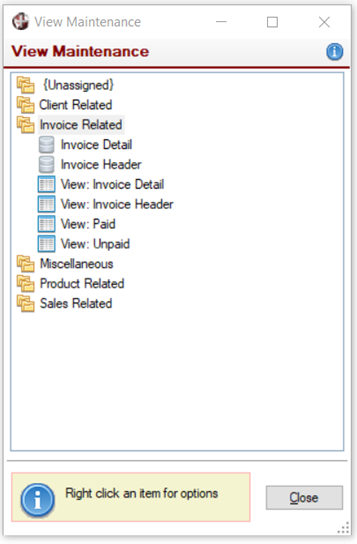
To invoke this window, use one of the following methods:
Location | Method |
|---|---|
From the PxPlus IDE Main Launcher | Expand the Views category and select View Maintenance. |
From the NOMADS Session Manager | From the menu bar, select Utilities > Views Definition. |
PxPlus statement | CALL "*views/views;View_Maintenance" |
PxPlus statement | PROCESS "View_Main","*views/views.en" |
From the PxPlus Command line | Enter: VU |
View Maintenance presents a list of all available data sources and views in their logical groups. Selecting a data group, data source or view allows access to different maintenance functionality:
Data Groups | Double clicking on a data group expands (or collapses) a tree view of current data sources and views in that group. Right clicking on a data group displays a popup menu with the following options:
| ||||||||||||
Data Sources | Double clicking on a data source displays a message for creating a new view from the selected data source. Responding Yes invokes the Define a View window. Right clicking on a data source displays a popup menu with the following options:
| ||||||||||||
Views | Double clicking on a view invokes the Define a View window for editing the selected view. Right clicking on a view displays a popup menu with the following options:
|