Font Properties
The Font Properties window presents options for specifying a font name, font size and various other attributes for displaying text.
To invoke this window, click the three-dotted query button associated with a font property (i.e. Font or Header Font), which applies only when defining a Theme or Visual Class.
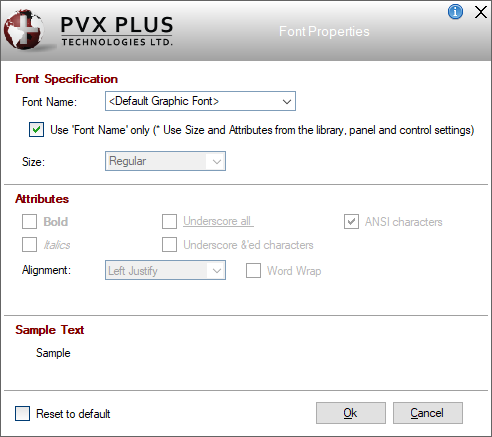
This window consists of the following:
Font Specification |
| ||||||||||||||||
Attributes | (Available when Use 'Font Name' only check box is not selected)
| ||||||||||||||||
Reset to default | Select this check box to reset the font properties to the default settings. The default settings are <Default Graphic Font>, Regular size with ANSI characters. |