Load List Box and Grid Controls
Query definitions can be used to automatically load List Boxes and Grids. All you have to do is create a query definition describing the columns you want to include in your control, including column titles, widths and even images!
To load a control, just add a CALL to the *winlist program in your program referencing the query definition and the CTL number of the control to be loaded:
CALL "*winlist",qName$,qLibrary$,controlCTLIf you are loading a Report View List Box or a Grid, you do not even have to define a format for the control. That will be done automatically based on the column definitions.
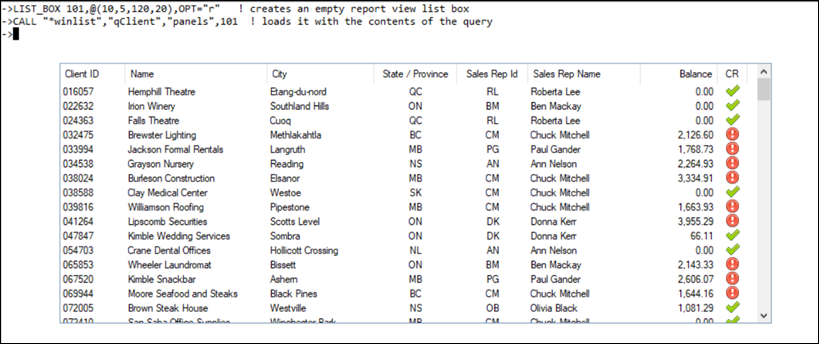
Example:
In this example, a Report View List Box is created with a CTL value of 101. Then, the CALL to *winlist automatically loads the List Box with the contents of the query.