How to Create a Custom Title Bar
The Custom Title Bar feature allows you to design a title bar that reinforces your branding and improves your application's accessibility. The Custom Title Bar can be used to replace or work in conjunction with the Windows title bar.
Create a Custom Title Bar
These steps show you how to create a custom title bar:
1. | The easiest way to start is to make a copy of the PxPlus title bar Titlebarhdr, which is found in *win/scrnlib.en. |
2. | In NOMADS, call up the copied object and then make the appropriate changes by adding your logo, color scheme, etc. This is just a standards NOMADS dialog, so you can virtually add any type of control to satisfy your needs. |
3. | If your title bar is going to replace the Window title bar, make sure you keep the Minimize, Maximize and Close buttons in place; if not, they can be removed. Do not change the control names of the Minimize, Maximize and Close buttons. |
4. | The standard PxPlus title bar replaces the Windows title bar. If you want to use the Windows title bar, open the Panel Definition window and select the Attributes tab. Change the Frame Style drop box to either Default or Thick border with caption. |
5. | Once you are done, you can now apply it to the rest of your application. |
Apply the Custom Title Bar
Custom title bars can be assigned at several hierarchical levels, depending on how you want to customize the look of your application.
You can apply a custom title bar at the following levels:
All Screens |
Specific Screen Libraries 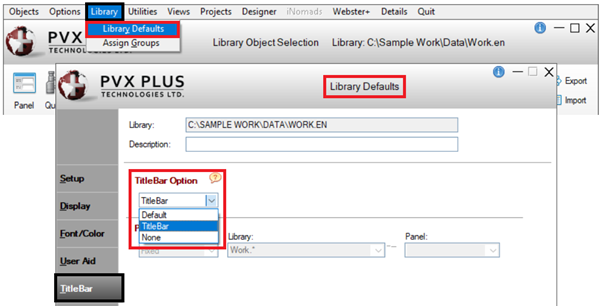 |
Specific Screens 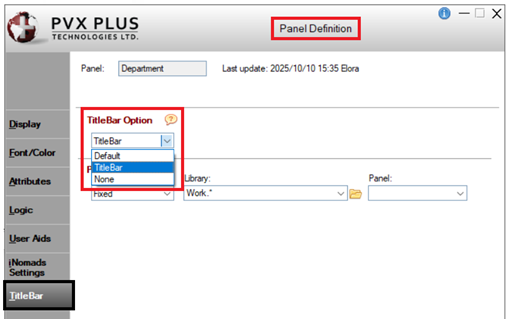 |
Multiple Selected Screen Libraries and/or Selected Screens 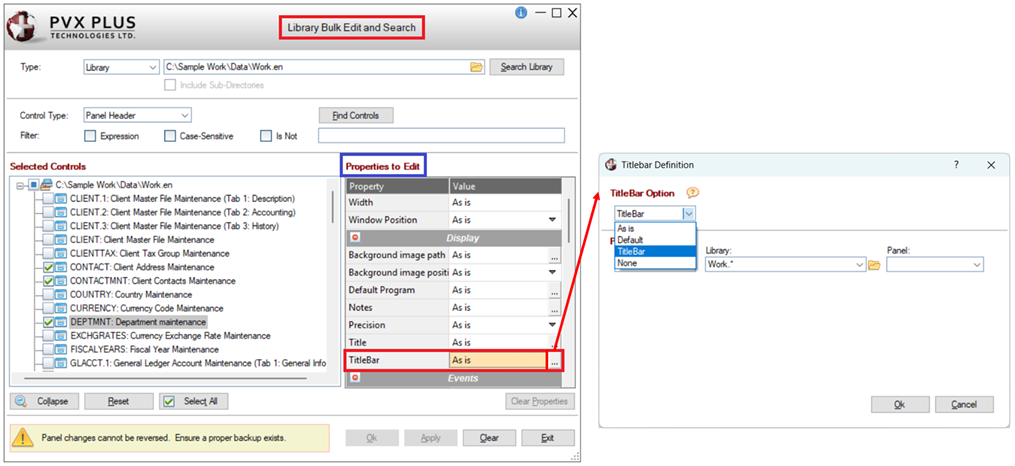 |
See Also
Creating a Custom Title Bar
Assigning Custom Title Bars
Custom Title Bar Display